Workflow: set up your business in BuildTrack
The order to set things up in: your business and documents, your team, how sales flow, payments and accounting, customers and products, then each area you use.
Where it is
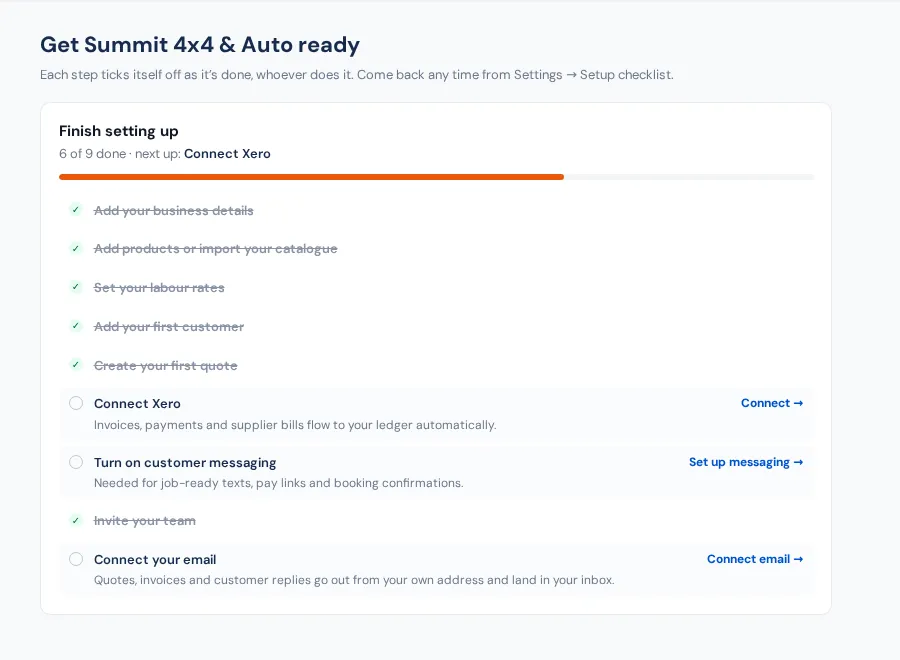
- Settings → Setup checklist — Ticks itself off as you go
- Settings
- Integrations
Work down this list in order; each step has its guide. The Setup checklist ticks itself off as things are done. See Getting started. Each step has a button to the page where you do it and a link to its full guide. In BuildTrack's Help panel, when a button takes you to a page, Back to the guide (bottom right of the screen) brings you straight back here.
1. Your business
- Name, ABN, address, timezone and tax rate; logo and colour: Business details and branding.
- Invoice numbering, terms, bank details and T&Cs: Quote and invoice settings.
- Your own domain for email and customer links: Your domain.
2. Your team
- Decide what each role sees (costs, margins, labour rates): Roles and permissions.
- Invite your team: Invite your team.
- Everyone puts BuildTrack on their phone: Put BuildTrack on your Home Screen.
3. How you work
- Workshop on or off, and what an accepted quote becomes: Modules & flow.
- Orders desk targets, who's on duty and what happens by itself: Orders settings.
4. Payments, accounting and messages
- Card payments: Stripe.
- Accounting: Xero (or QuickBooks).
- Texting and automatic customer messages: SMS, calls and notifications and Automatic customer texts and emails.
- Email from BuildTrack: Connect Gmail.
5. Customers and products
- Bring in your customers: Import contacts.
- Bring in your products: Import and export products, and your suppliers: Add a supplier.
- Warehouses and bins: Warehouses and bins.
6. The areas you use
- Workshop: Workshop settings, Canned jobs, Checklists.
- Shipping: Freight setup.
- Customer portal and website chat: Customer portal, Website chat.
- Selling online: Shopify, Dealer Portal.
- Marketing and reviews: Marketing, Review requests.
- Staff hours: Workers.
Lost track of where something is? Where is that setting?