Workflow: sell and fit accessories (a build job)
For parts you sell and fit: the quote becomes a sales order that holds the parts and the deposit, the parts come in, the order makes the job, and handing the car back bills the balance.
Where it is
Settings for this
- Settings → Modules & flow — Accessories & Build quotes become sales orders
- Settings → Orders — Make the order by itself, hold the stock, draft POs for what's short
- Integrations → Stripe — Card deposits
Use this when you sell parts and fit them (bull bars, suspension, canopies, a full build). The parts and the money live on a sales order; the job is the labour. Each step has a button to the page where you do it and a link to its full guide. In BuildTrack's Help panel, when a button takes you to a page, Back to the guide (bottom right of the screen) brings you straight back here.
1. Customer and quote
- Create the contact and add their vehicle.
- Create the quote on Sales → Quotes with its Type left on Accessories & Build. Add the parts and the fitting labour. Packages and kits save time: Packages and Kits.
- Set a deposit and send it. The customer approves online: Online approval.
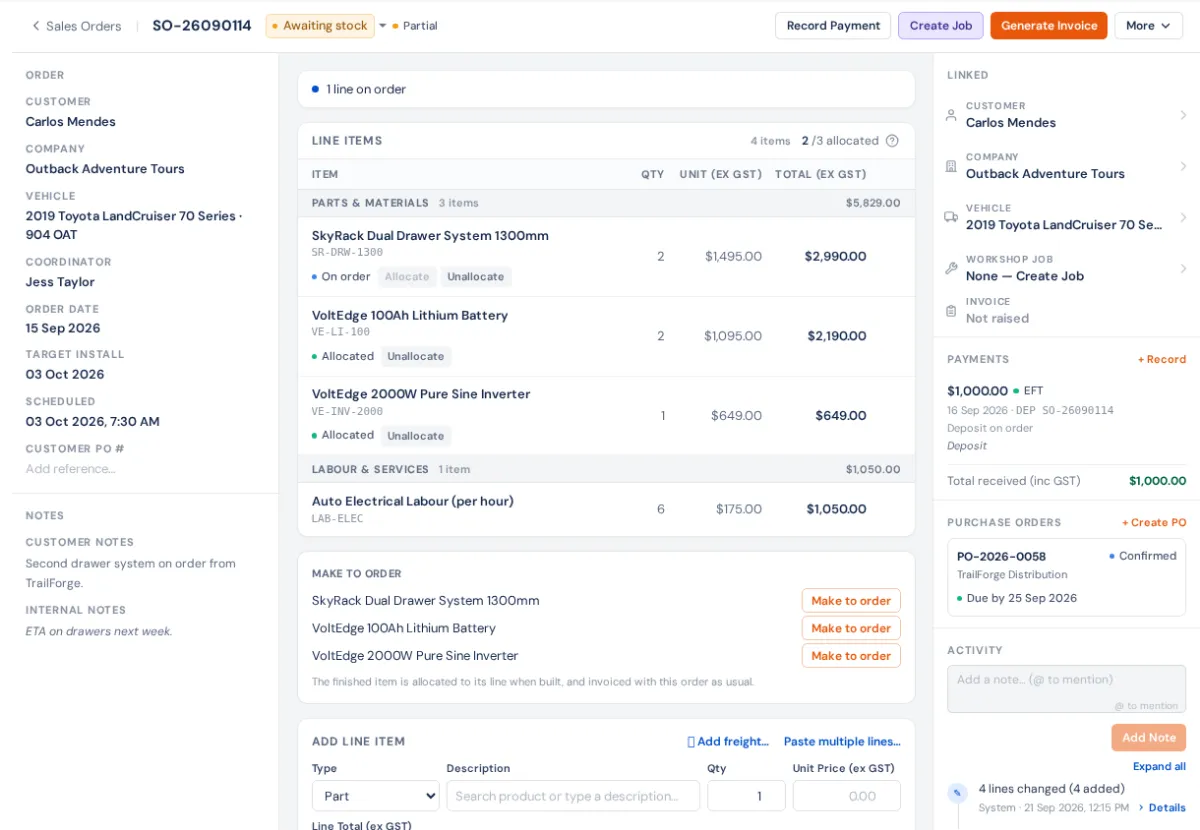
2. The sales order holds the parts and the deposit
- The accepted quote becomes a sales order, by itself or with Create Sales Order. See Which way a sale goes and Accessories & Build: sales order first.
- The order holds free stock for each line. See Stock allocation.
- Bill the deposit with Raise deposit invoice. See Deposits and payments.
3. Get the parts in
Order what's short from the sales order, then receive the PO. Watch it on Orders desk → In the workshop. See Parts for the job, Raise, send and receive a PO and Receive a purchase order.
4. Make and book the job
When the parts are in, the order's readiness strip offers Create job. The job brings the parts and labour with it. Book it: Create and book a workshop job. See also Fitting orders.
5. Fit it
Check the car in, do the work with labour clocking, pick the parts from the job's Parts tab (Parts on a job), then QC and handover and Mark ready.
6. Bill the balance and hand over
Raise invoice on the job bills the order less the deposit. Tell the customer it's ready, take payment (Take and record payments), then Hand over. Handing over takes the parts out of stock. See Deposits, the invoice and handing over.
The Sale to job course covers this path lesson by lesson.