Integrations: everything BuildTrack connects to
Every connection in one place: Xero or QuickBooks, Stripe, Shopify, SMS and phone, Facebook & Instagram, Gmail and your domain, freight carriers, calendars, supplier feeds, the API and sync rules.
Where it is
- Integrations — Sidebar → System → Integrations
Settings for this
Integrations (sidebar → System, or Settings → Integrations) is the one page for everything BuildTrack connects to. Each card shows whether it's Connected, Included, Needs attention or Not set up, with a button to Connect, Fix, Manage or Open it. Search at the top ("text", "freight", "calendar") or filter by group. Anything that needs attention (an expired Xero connection, a paused carrier) is listed in a yellow box at the top.
Cards marked Just you are personal: each person connects their own (Gmail, calendars).
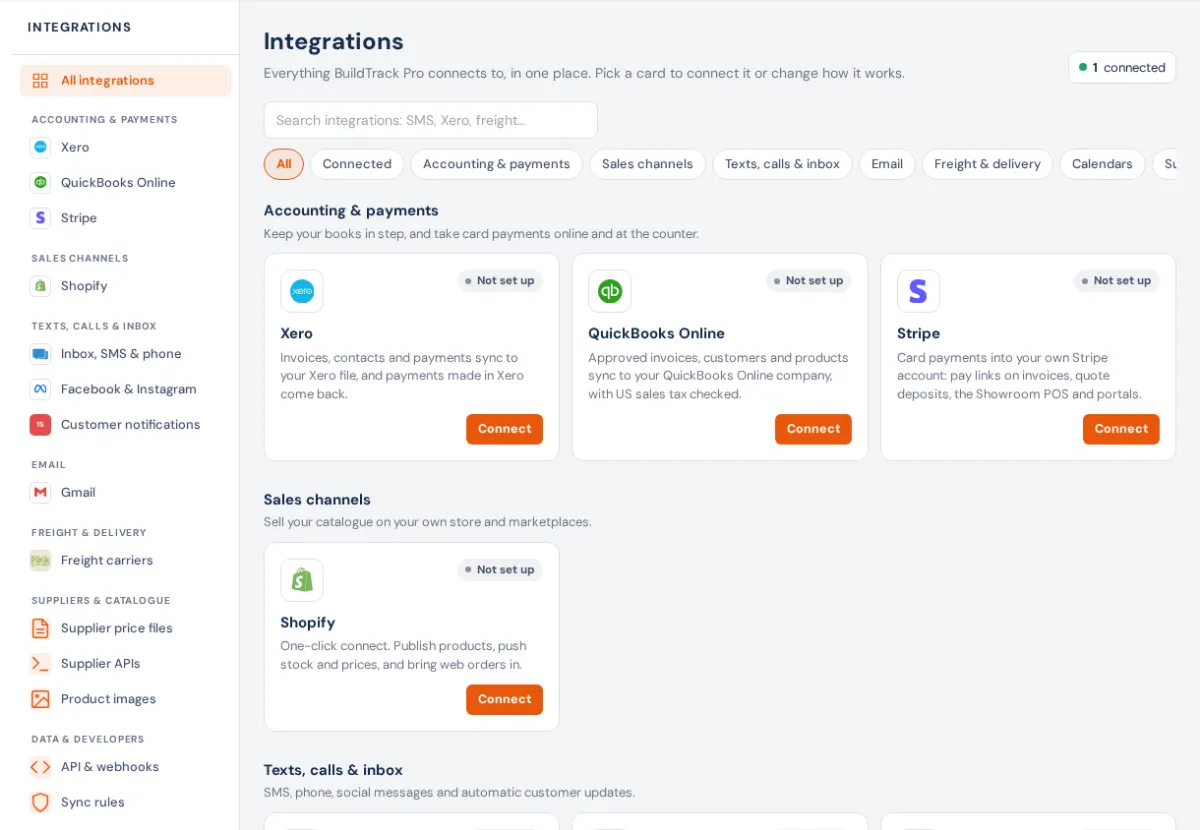
Accounting & payments
- Xero: invoices, contacts and payments to Xero, payments back. See Xero.
- QuickBooks Online: for US businesses. See QuickBooks Online.
- Stripe: card payments into your own Stripe account. See Stripe card payments.
Sales channels
- Shopify. See Setting up Shopify.
Texts, calls & inbox
- SMS texting, MaxoTel phone system, Inbox automation & AI receptionist and Customer notifications. See SMS, calls and customer notifications.
- Facebook & Instagram. See Facebook & Instagram.
- Gmail (each person) and Your domain. See Email.
Freight & delivery
Calendars
- Google and Outlook busy time (each person). See Calendar sync.
Suppliers & catalogue
- Supplier price files, Supplier APIs and Product images. See Supplier feeds.
- Linked supply (only when your business is linked to a sister business). See Linked supply.
Data & developers
- API & webhooks. See API and webhooks.
- Sync rules. See Sync rules.
Who can open what
The Integrations page needs View settings or Edit settings. Most connection pages open with View settings; Shopify, Customer notifications, supplier feeds, product images and Sync rules need Edit settings. Cards you can't open aren't shown.
If something's not right
- "Reconnect needed": the other service's sign-in expired. Open the card and connect again; settings are kept.
- "You don't have access to this": your role needs View settings or Edit settings. See Roles and permissions.