Network and franchise: how head office and its stores work together
The franchise network add-on links head office with its franchises: franchises order stock from head office, head office dispatches and invoices, and the Network module reports across every location.
Where it is
- Network — Head office: reporting across every location
- Network → Franchises — Every franchise as a trading account
- Orders → Franchise channel — Franchise orders waiting on head office
Settings for this
- Settings → Network — Head office: sharing, franchises, pricing, freight, notifications
- Settings → Network → Franchises — Add a franchise, its team, prices and terms
- Settings → Billing & plan — The franchise network add-on
The franchise network is an add-on. Head office (HQ) runs the network; each franchise is its own business on BuildTrack Pro, linked to it.
How it fits together
| Head office | A franchise | |
|---|---|---|
| Set up the network | Settings → Network: see Franchise network settings | Comes from head office |
| Orders | Franchise orders arrive on the Orders desk, Franchise channel: see Franchise orders at head office | Purchasing → Order from HQ: see Ordering from head office |
| Money | Each order is invoiced to the franchise; Royalties and marketing levy monthly | Pays from its order; Statement of account with head office |
| Reporting | The Network module (below) | Its own Reporting |
Two related businesses where one holds the stock and the other sells it (not a franchise network) use Linked supply instead.
The Network module (head office)
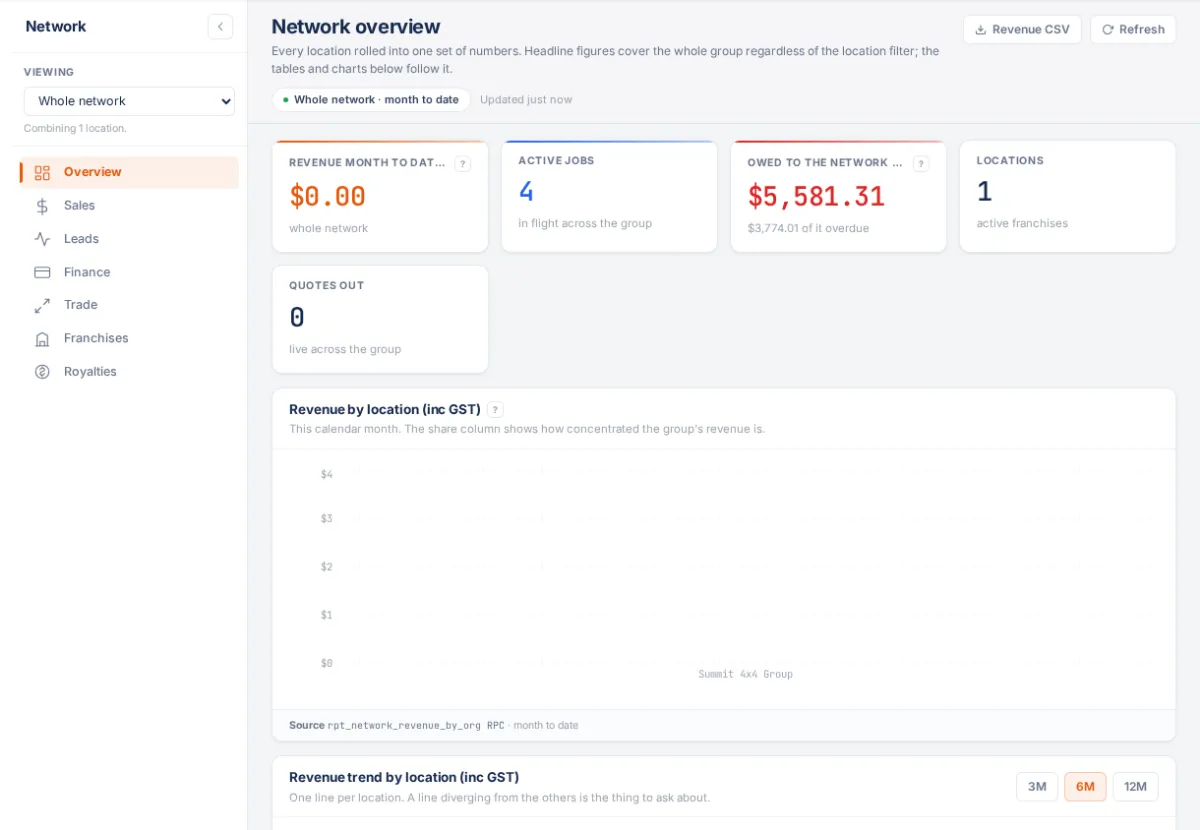
Sidebar System → Network. It needs the add-on, a head-office login, and permission to see reports. The location picker in its sidebar filters every page.
- Overview: headline numbers, revenue and jobs per location.
- Sales: quoting and pipeline, acceptance rate and average quote by location.
- Leads: new deals created across the group.
- Finance: what the group is owed, overdue share, work already booked.
- Trade: what head office sells to its franchises, margin, dispatch lead times, what franchises owe.
- Franchises: every franchise with wholesale over 12 months, open orders, outstanding, overdue and days to pay (download as CSV). Click one for its account: Orders, Invoices, People, trade terms, and Statement of account.
- Royalties: see Royalties and marketing levy.
If something's not right
- "Head office only": you're at a franchise, or your login isn't enrolled at head office. Your own numbers are in Reporting.
- A page about the franchise network add-on instead: your plan doesn't include it (Settings → Billing & plan).
- "Not authorised" on a dispatch: your login isn't enrolled in the head-office organisation yet. Ask an admin to fix your enrolment.