What your dealers see in the portal
The dealer’s side of the portal, menu by menu: what each login can do, how owners manage their team and delivery address, and how one login works across several suppliers.
Where it is
- Dealer Portal (Preview portal) — See it as one of your dealers, read-only
Settings for this
- Setup → Features — Which optional menu items dealers get
- Setup → Storefront — What their dashboard and Products page show
Use Preview portal on the Dealer Portal page (or Preview as this dealer in a dealer's panel) to see exactly this, as that dealer.
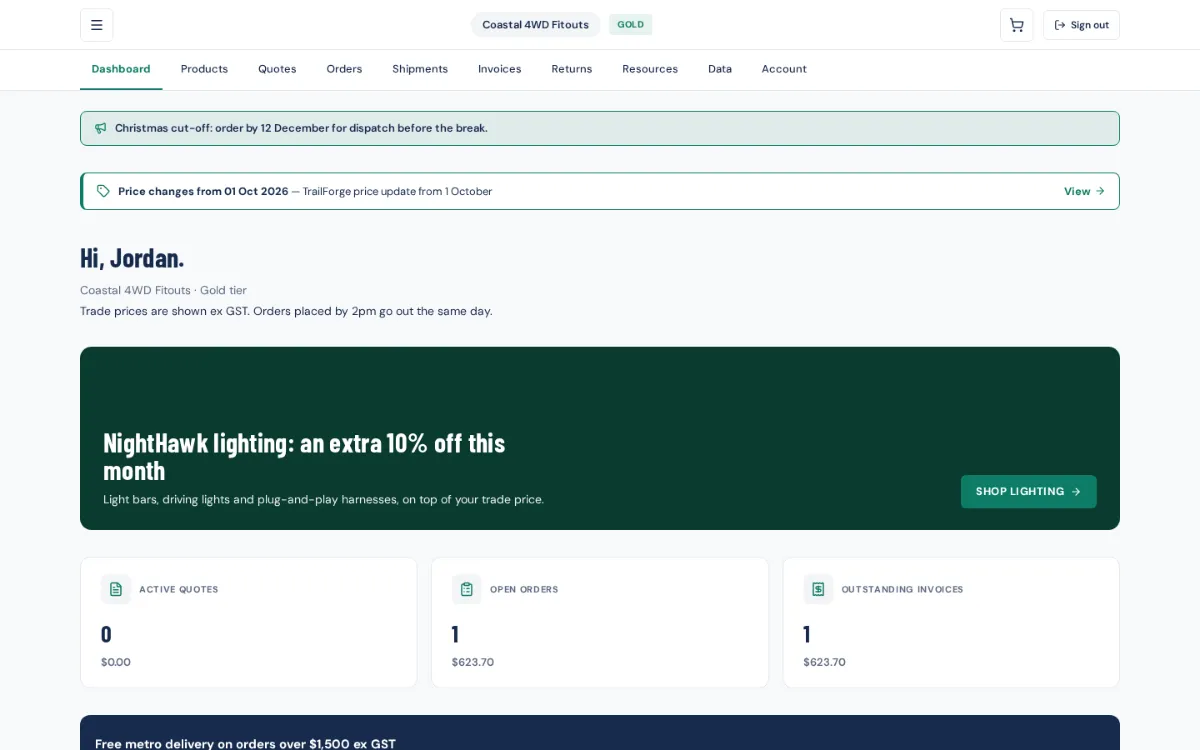
The dealer's menu
| Menu | What's there | Shows when |
|---|---|---|
| Dashboard | Welcome, announcement, promotions, Active quotes, Open orders, Outstanding invoices, Buy again, New arrivals, collections and brands | Always |
| Stores | Each store's activity, for head-office logins | The account has stores |
| Products | Search, filters (category, brand, collection, vehicle, wheels & tyres, In stock only), their price, stock or due date, Download CSV | Always (CSV if on) |
| AI Quote | Build a quote from a job description | AI Quote is on |
| Quotes | Quote requests and your quotes; accept one to order | Always |
| Orders / Shipments | Each order's lines and status (In stock, Backordered, Dispatched…), tracking, Reorder items | Always |
| Invoices | Outstanding, Part paid and Overdue invoices; pay online | Always |
| Returns | Return and warranty requests | Returns & warranty is on |
| Support | Support requests | Support and the form are on |
| Resources | Your library | Resources is on |
| Data | API keys, feed URL, Connect my BuildTrack Pro | Data is on and the dealer has data access |
| Account | Profile, balance, notifications, password | Always |
Price notices show as a banner on the dashboard. Back-in-stock alerts sit on out-of-stock products.
Roles
- Owner: everything, plus on Account the Delivery address (the default ship-to for the account and each store, filled in at checkout) and the Team (invite a team member, change roles, cancel invites). An owner can't remove themselves.
- Buyer: order, quote and return.
- Viewer: look only.
Account → Notifications lets each login choose Shipment updates, Invoice notifications and Quote approvals & declines emails.
One login, several suppliers
A dealer who already has a login to another BuildTrack Pro supplier's portal gets yours added to it: same email and password, and a Supplier portal switcher in the top bar. A dealer that runs BuildTrack Pro itself signs in with its own BuildTrack Pro email and finds your portal under Supplier portals in its account menu. See Connect my BuildTrack Pro.