Search everything (⌘K) and get help
Press ⌘K or Ctrl+K to jump to any page or find a customer, part, job, quote or invoice. Press ? for the Help panel, or open the full Help centre to browse every guide.
Where it is
- Help centre — Every guide on its own page, by area and by job
- Settings → What's new — Every release, newest first
- Academy — Courses and quizzes for each area
Search (⌘K)
Press ⌘K (Mac) or Ctrl+K (Windows), or click Search or jump to… in the top bar.
- Type a page name ("price lists", "dispatch", "roles") to jump straight there.
- Type two or more letters of a name or number to find contacts, companies, vehicles (rego), quotes, sales orders, workshop jobs, invoices, parts and products, suppliers, tickets and purchase orders.
- ↑ ↓ to move, Enter to open, Esc to close.
Keyboard shortcuts
- ⌘K / Ctrl+K: search everything
- ?: open the Help panel
- Esc: close a dialog or panel
- Enter: send or submit; Shift+Enter: new line in a message box
Help
The ? button in the top bar (or the ? key) opens the Help panel beside your work. It shows guides for the page you're on first, and searches every guide. Guides have buttons that open the page or setting they mention, and Back to the guide brings you back.
The Help centre (avatar menu → Help centre, Open the help centre in the Help panel, or Open full page on any guide) is the same guides as full pages:
- Search, with Ask BuildTrack for a written answer from the guides.
- Start here: whole jobs from start to finish, and Where is that setting?.
- Guides for your job: reading lists for owners, service advisors, technicians, the warehouse, accounts and marketing.
- Browse by area: every part of BuildTrack with its guides.
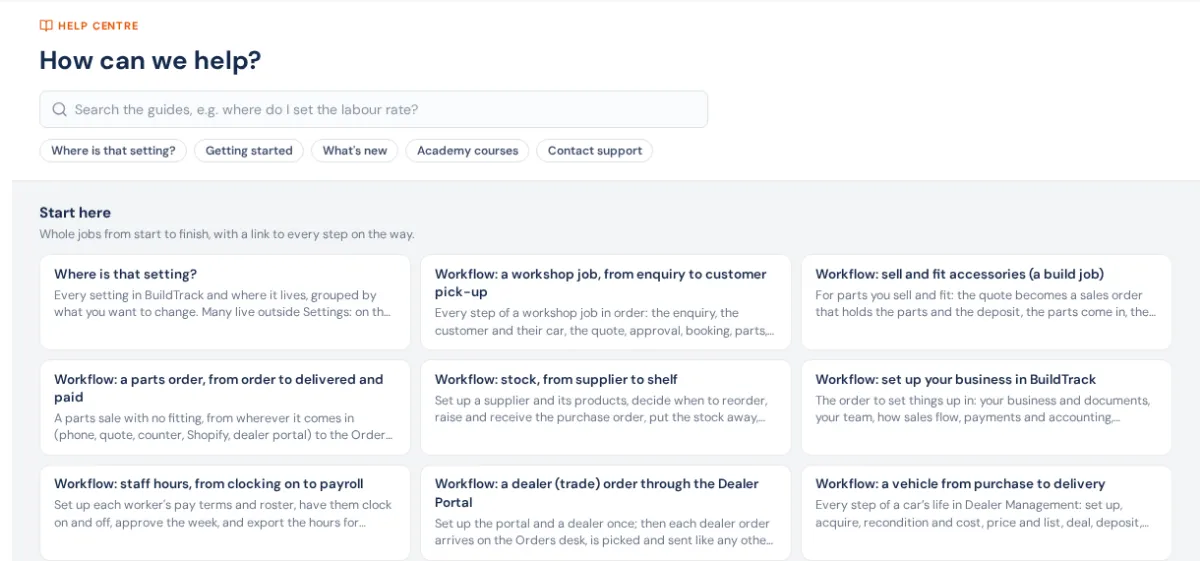
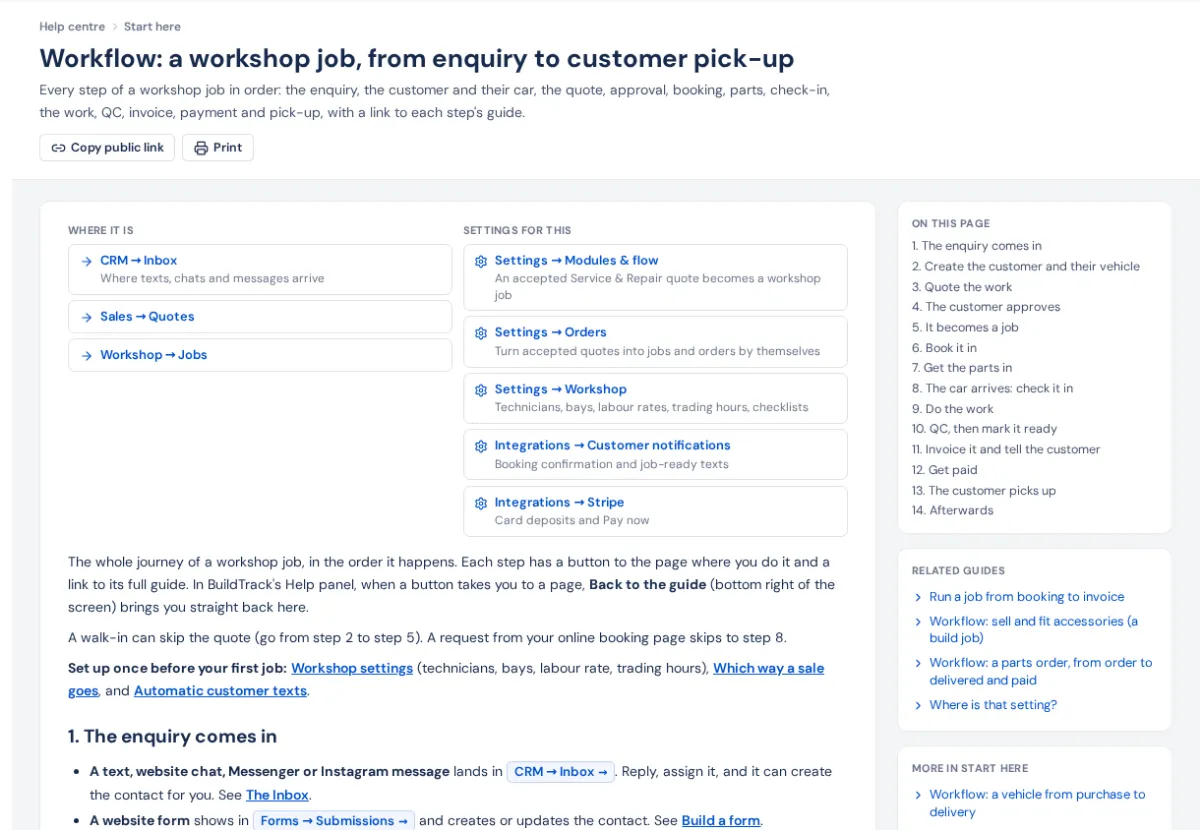
- Each guide has its own address. Copy public link to send it to someone (anyone can open it on the website), Print for the workshop wall, and On this page to jump to a step.
- What's new: every improvement, newest first, under Settings → What's new. New releases also ring the bell.
- Academy (avatar menu): short courses with quizzes for each area.
- Contact BuildTrack support: at the foot of the Help panel and in the avatar menu. See Contact BuildTrack support.